
Android Device Settings Portal
Type:
Internal Tool
Duration:
1 Month • Apr.25
Due to NDA restrictions, I’m unable to go very in depth on this project. Below is a brief overview. For more detailed information, feel free to contact me directly.
Problem
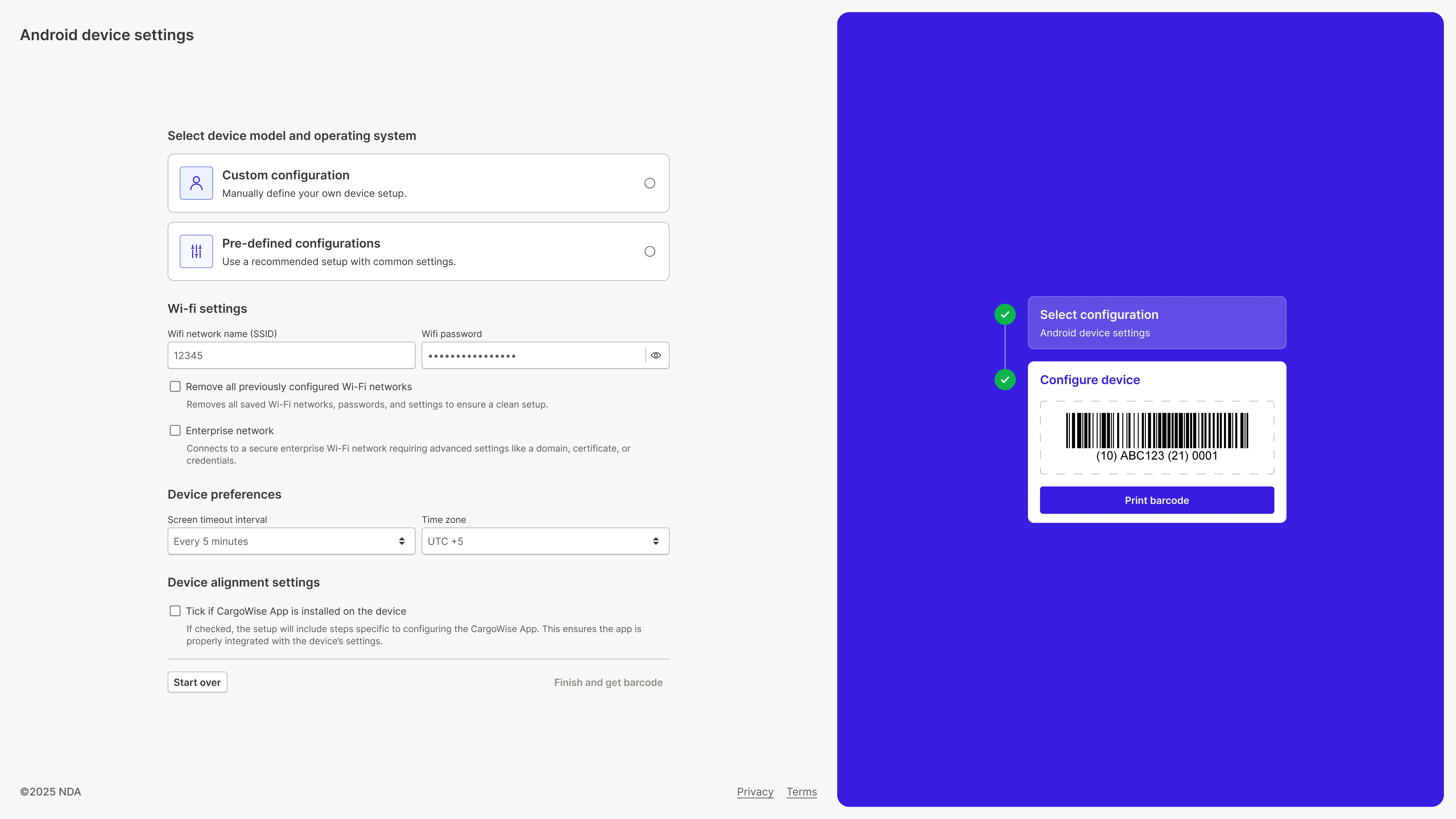
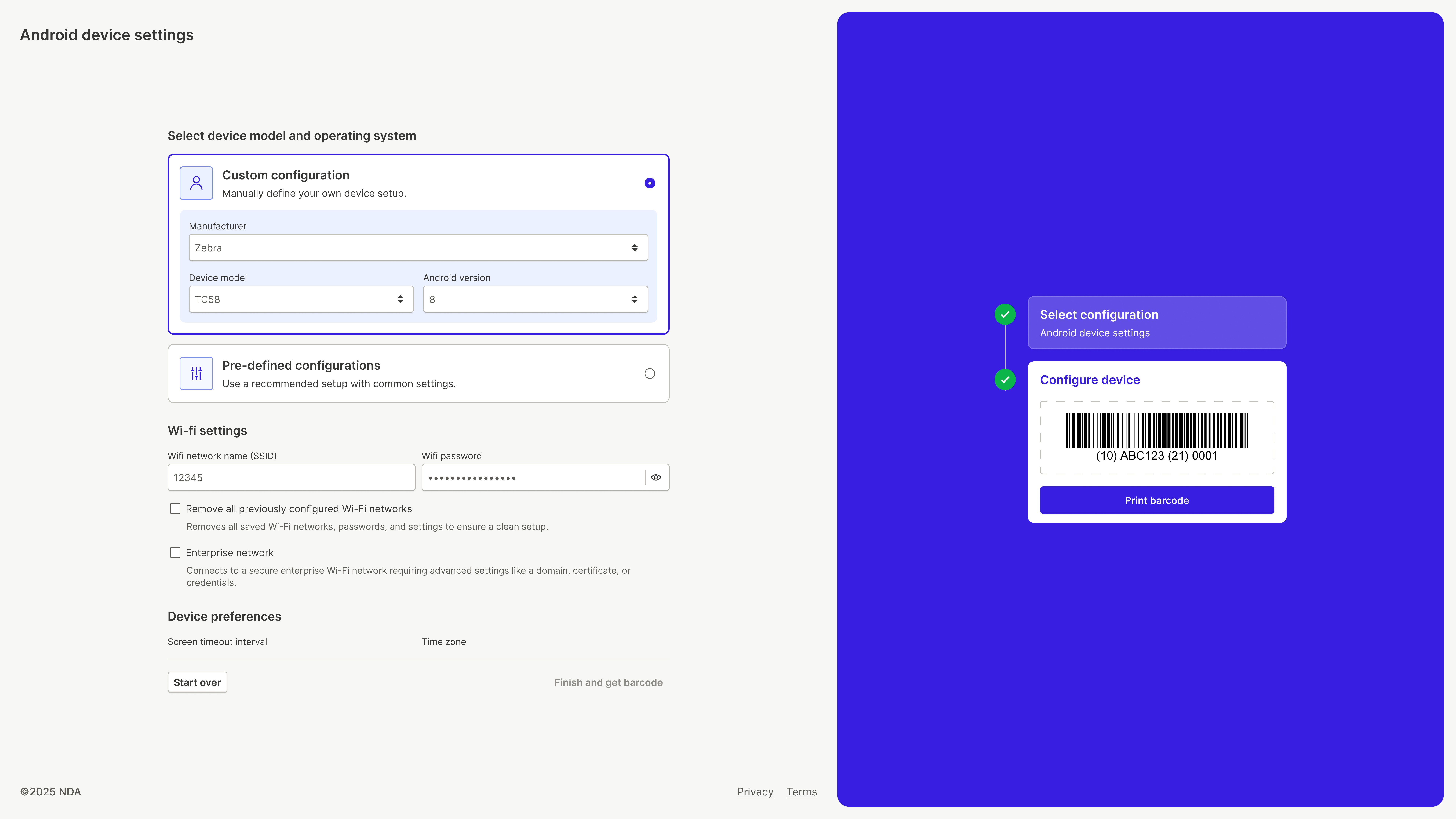
The organization relied on an outdated and highly confusing Android device settings portal to manage device configurations. The system was:
Difficult to navigate, with no clear structure or hierarchy
Filled with duplicated settings and overlapping options
Lacking any form of guidance, leaving users unsure of what to do next
All configurations were crammed into a single, long form, making the process overwhelming and error-prone. As the product had evolved without a clear UX foundation, users frequently felt lost while setting up or modifying device settings.
Solution
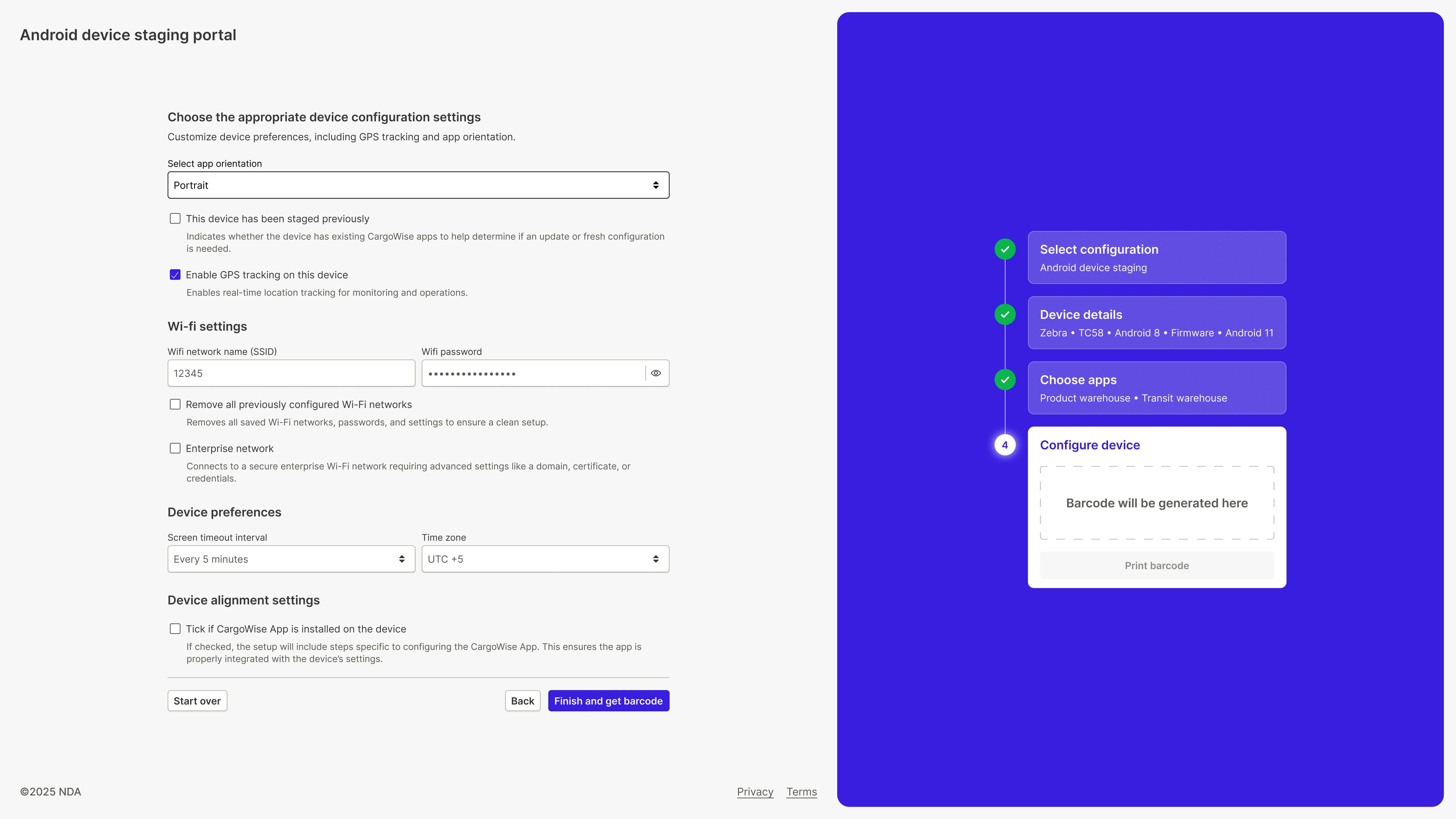
I redesigned the Android device settings portal with a strong focus on clarity, guidance, and step-by-step flow.
Key UX decisions included:
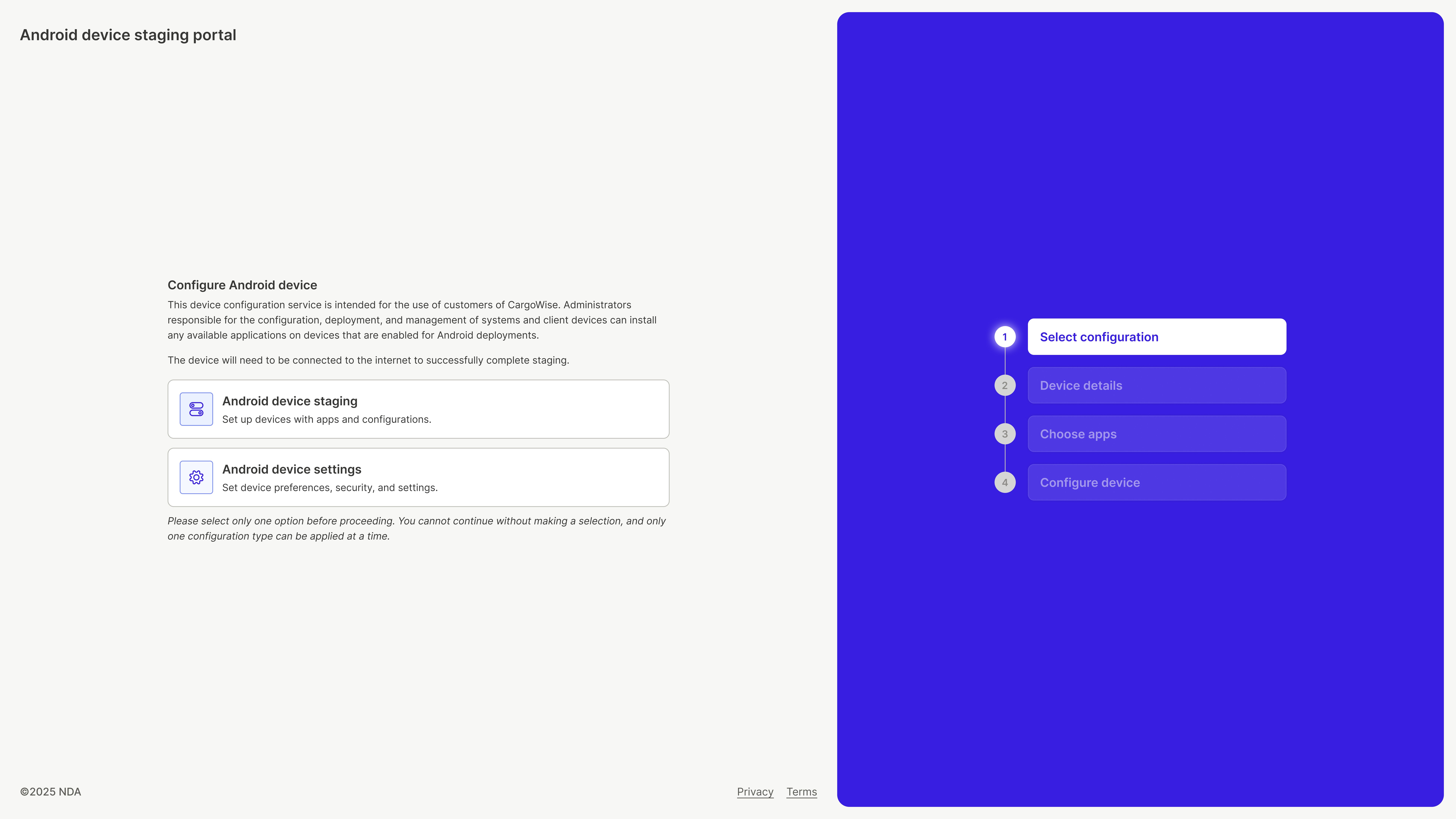
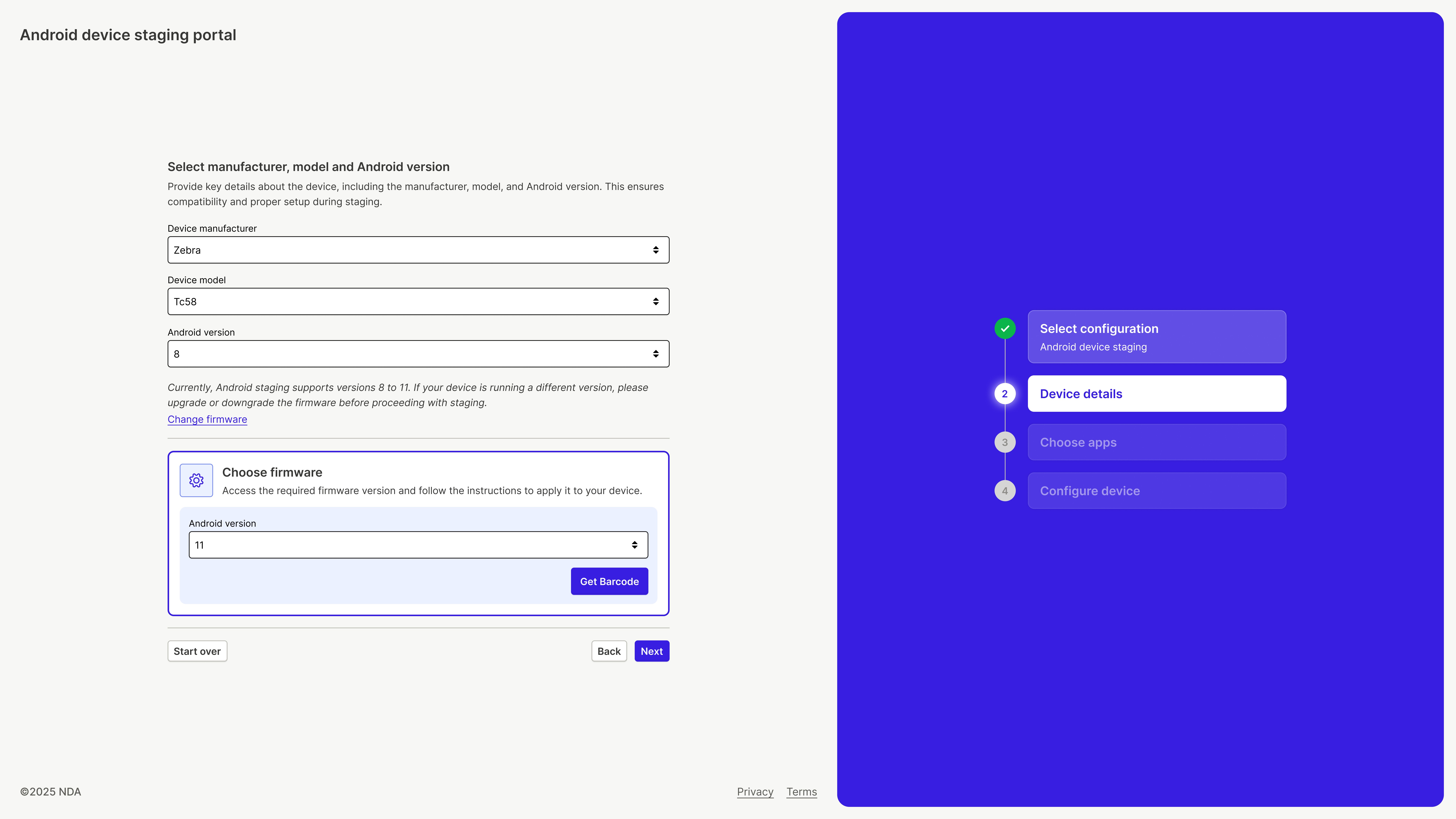
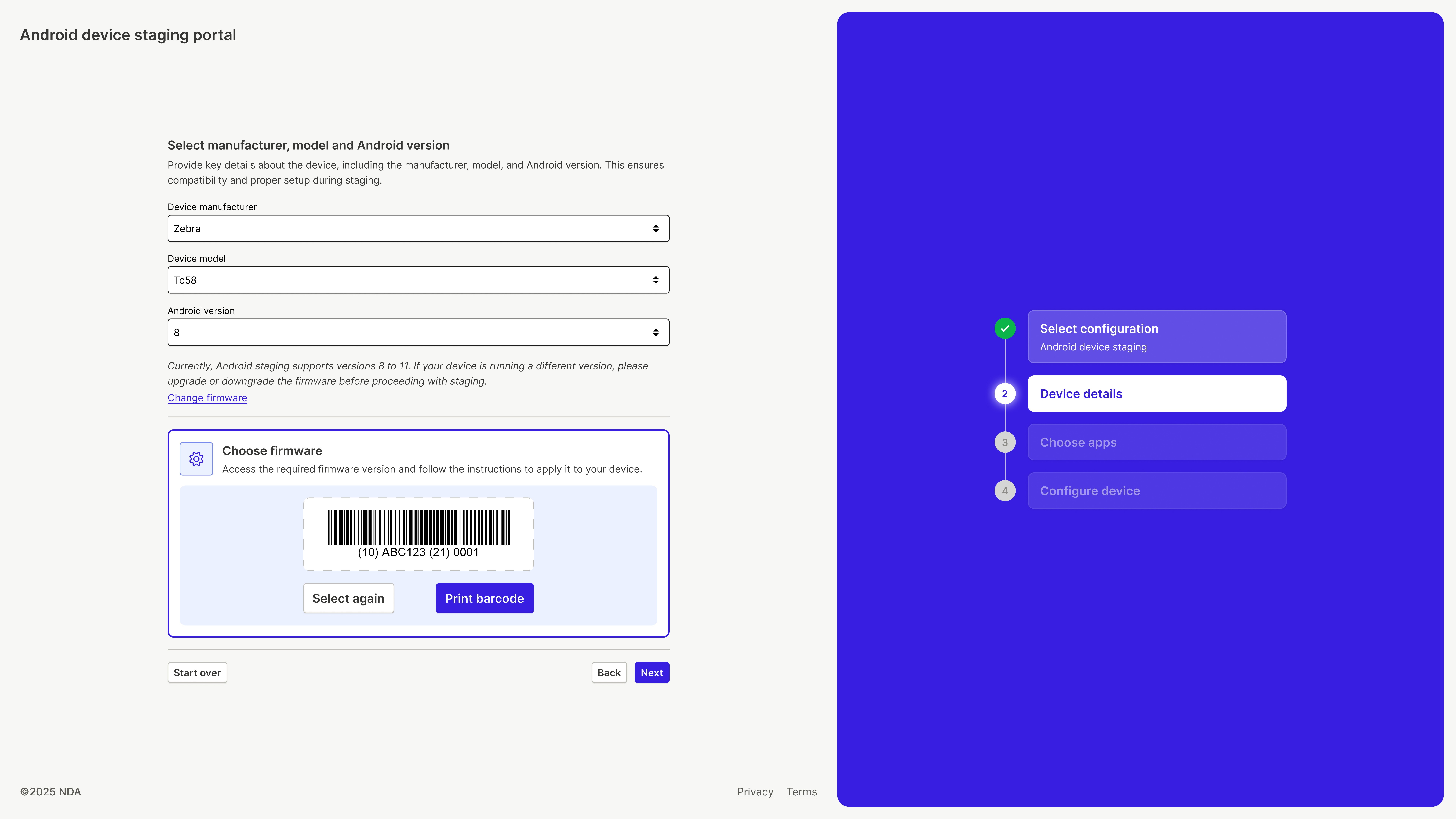
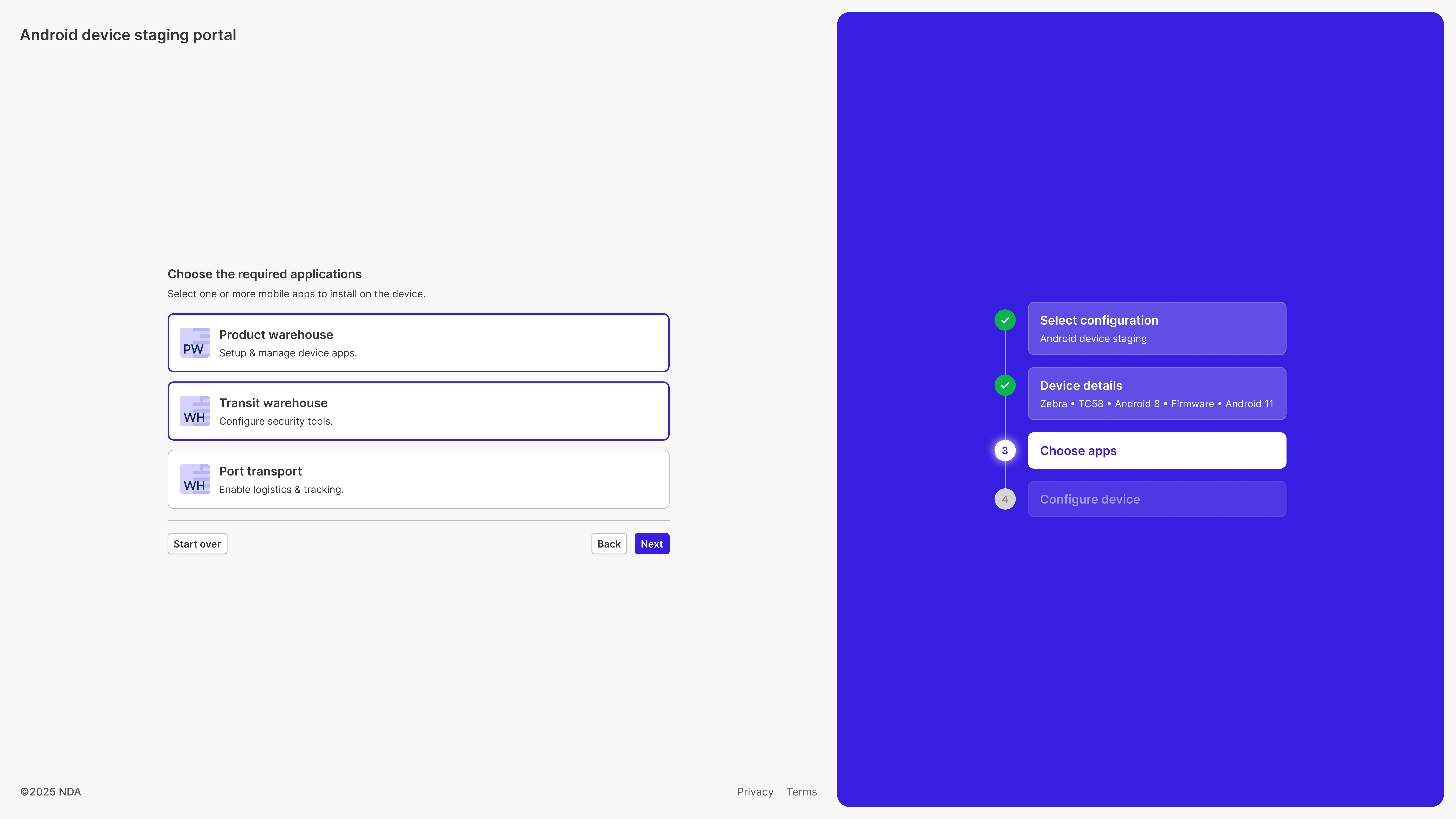
Converting the entire configuration process into a wizard-based flow that guided users through each step sequentially
Breaking down the large form into clearly defined steps, each with focused and manageable inputs
Providing clear explanations and context at every step to reduce confusion and mistakes
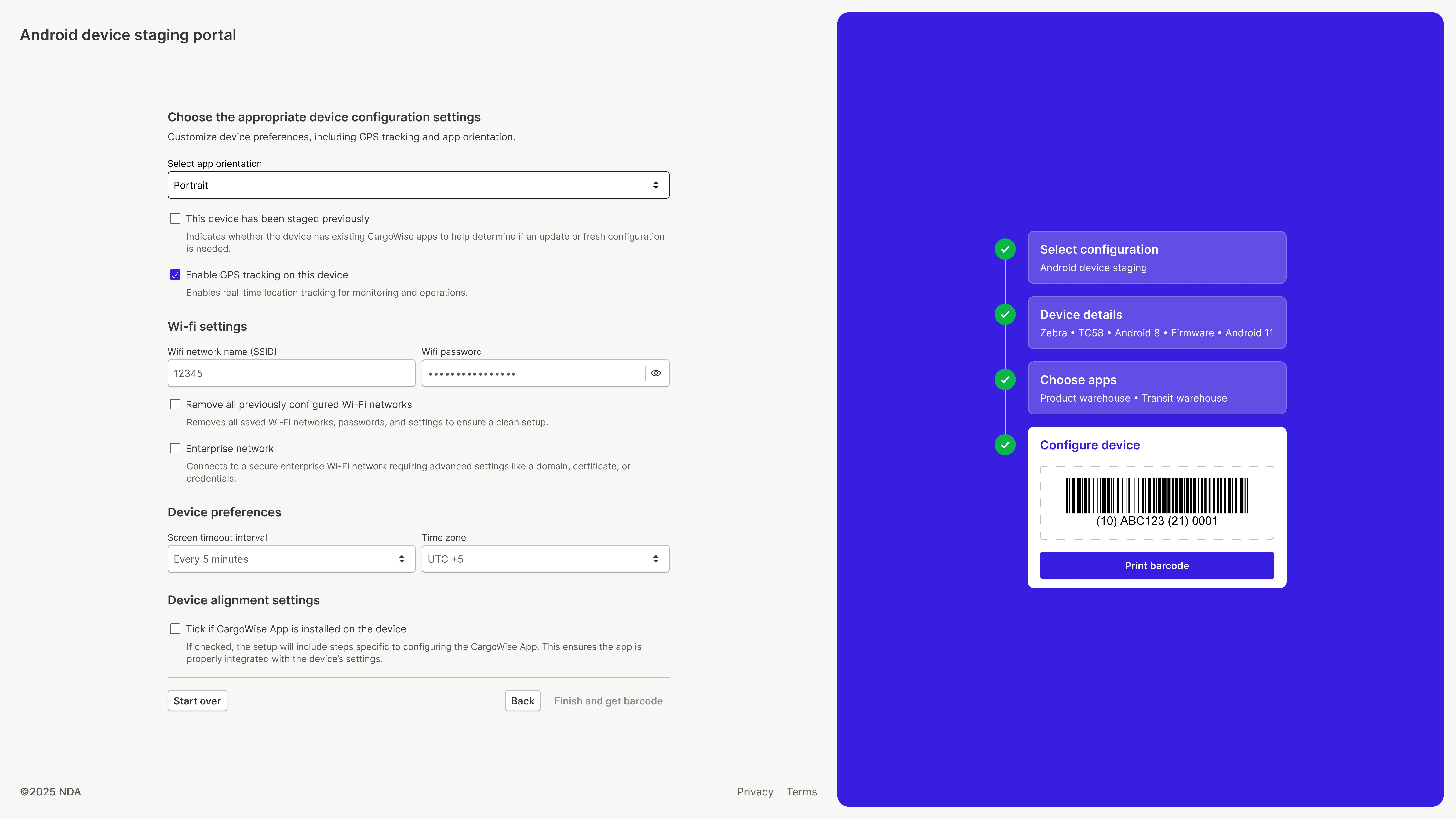
Using a split-layout design, with the left side dedicated to the form and the right side acting as a live, wizard-style reflection of the user’s actions
Ensuring users always understood where they were in the process and what impact their choices had
The redesigned flow was iterated on continuously to simplify decision-making, reduce cognitive load, and improve completion confidence.
Outcome
The new portal replaced a cluttered, confusing experience with a guided, structured workflow. It reduced duplication, improved clarity, and made device configuration significantly easier to understand and complete, resulting in a more confident and error-resistant user experience.

Made by Aabis
Share Feedback