
Capacity Management
Type:
Enterprise Platform
Duration:
8 Months • Feb.25 - Nov.25
Some of the specifics are under NDA, so a few details had to be abstracted.
The shape of the work, the thinking behind it, all of that is here.
Context
Astreya runs technician operations for Google's offices worldwide. Five regions (NAMER, LATAM, EMEA, APAC, and India), each with multiple buildings, each building with its own pool of technicians, managers, and tickets to solve. Tickets fall into five service categories. Each building has a demand (hours of work needed) and a supply (technician hours available), and those numbers roll up to region level. There's also a utilization metric, throughput (past data), and forecast (predicted data).
That's a lot to hold in your head. Right now, they were holding it in spreadsheets.
Problem
The whole thing ran on giant Excel sheets. Hundreds of variables, dependencies stacked on dependencies, one wrong cell and the day was gone. The sheets worked when the operation was smaller. At Google scale, across five regions and a hierarchy that goes regional manager > manager > technician, they didn't.
A few things made this harder than a normal "build a dashboard" project:
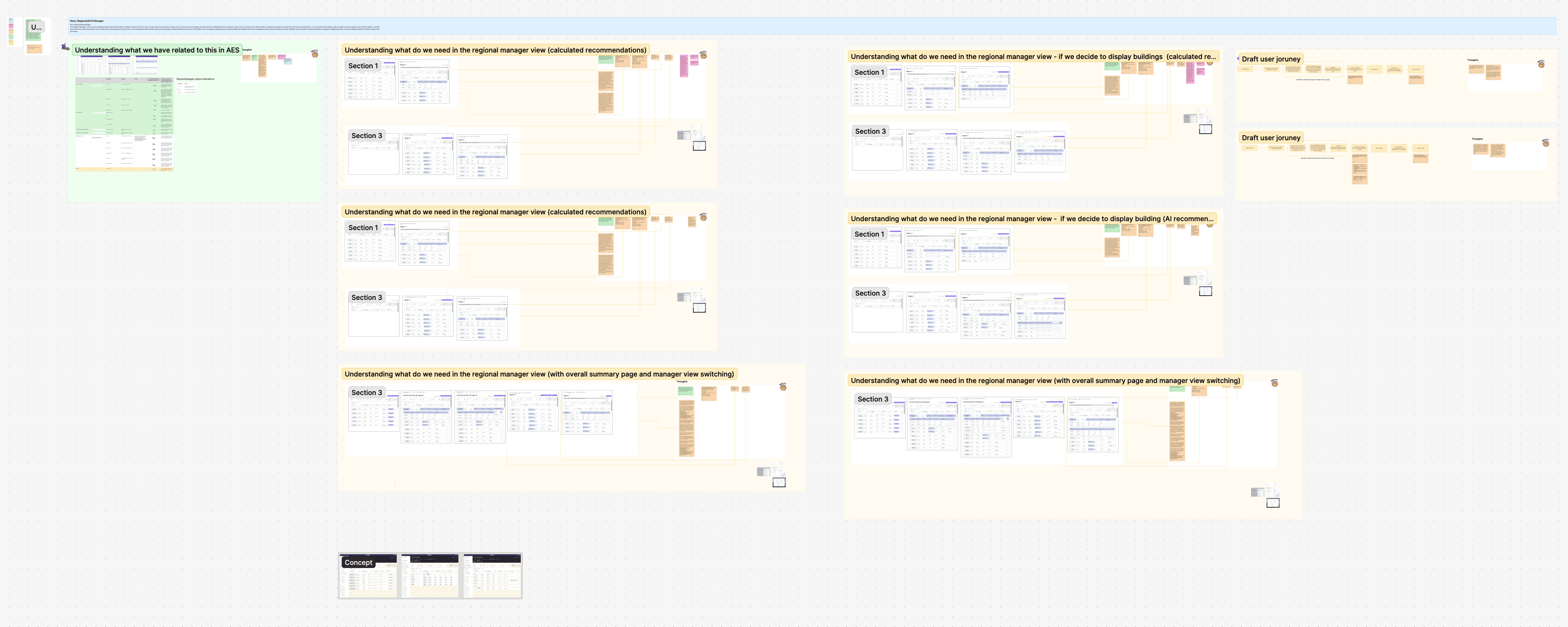
The data volume was genuinely surreal. We had to design for one region with one building and one technician, and for hundreds of buildings across five regions, with the same UI. No "this version works at small scale" loopholes.
There was no reference to pull from. No existing internal tool, no public product solving this exact problem at this scale. We were building it blind.
We were locked into Material UI 2017, the design system the rest of the Astreya product already used. Changing it meant changing everything, so visual redesign was off the table from day one.
The timeline was tight, and the data was high-stakes. A wrong UI call here doesn't just confuse a user. It causes a manager to misallocate a region's workforce.
What we tried first
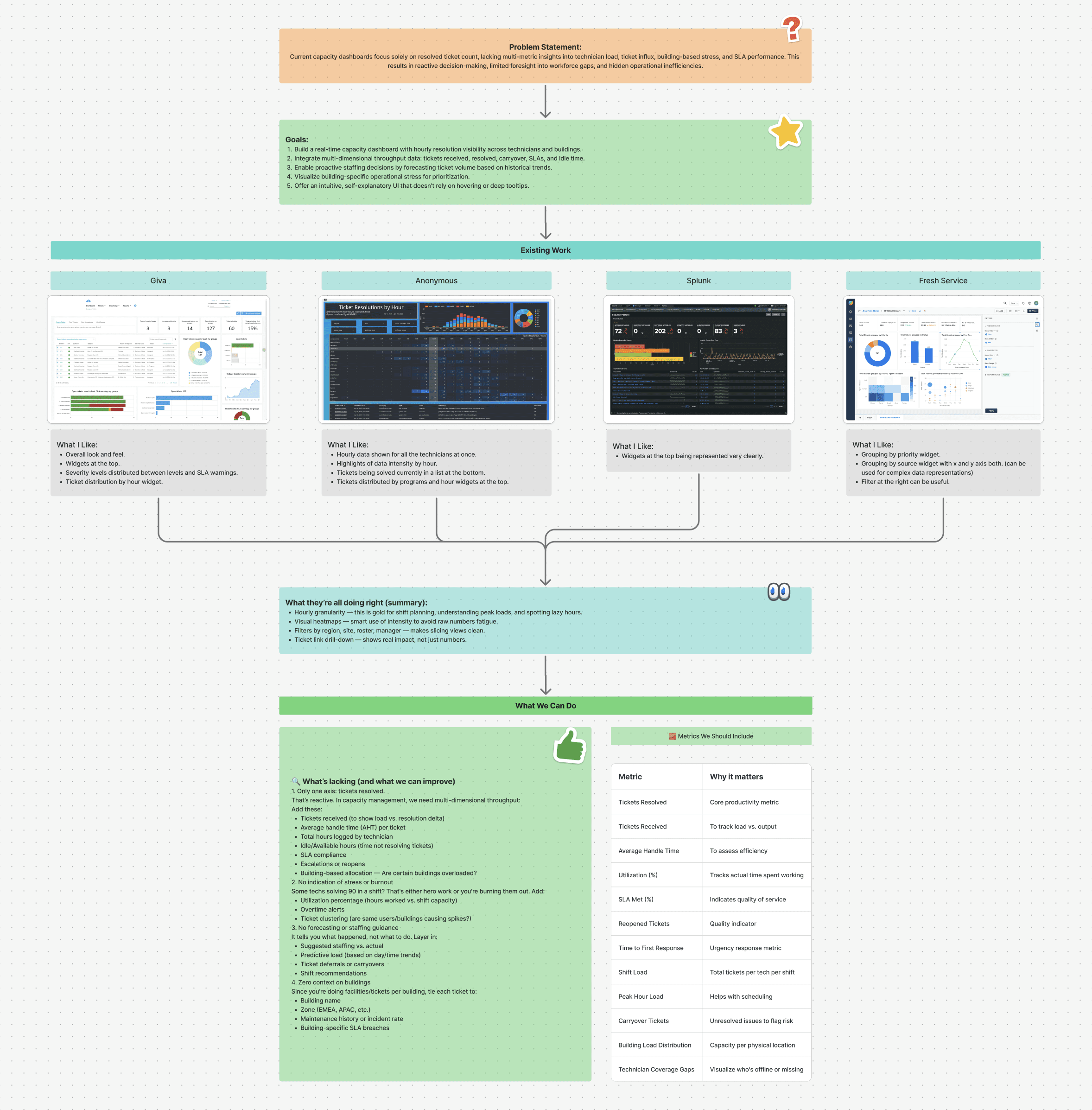
We started with tables. It's the obvious move when the input is a spreadsheet, and we wanted to see how far it could go.
It went badly. We tried tables with icons, hover states, micro-interactions. Tables with accordions inside cells. Horizontally scrolling tables. Vertically scrolling tables. Every version broke somewhere. Either the data didn't fit, the eye had nowhere to rest, or the structure collapsed the moment a region had more than a few buildings. After a couple of weeks of pushing on it, we killed the table approach entirely.
The thing that actually changed our direction was reframing the question. We stopped asking "how do we show all the data?" and started asking "what does the user actually need to see first?" Almost everything followed from that.
Solution
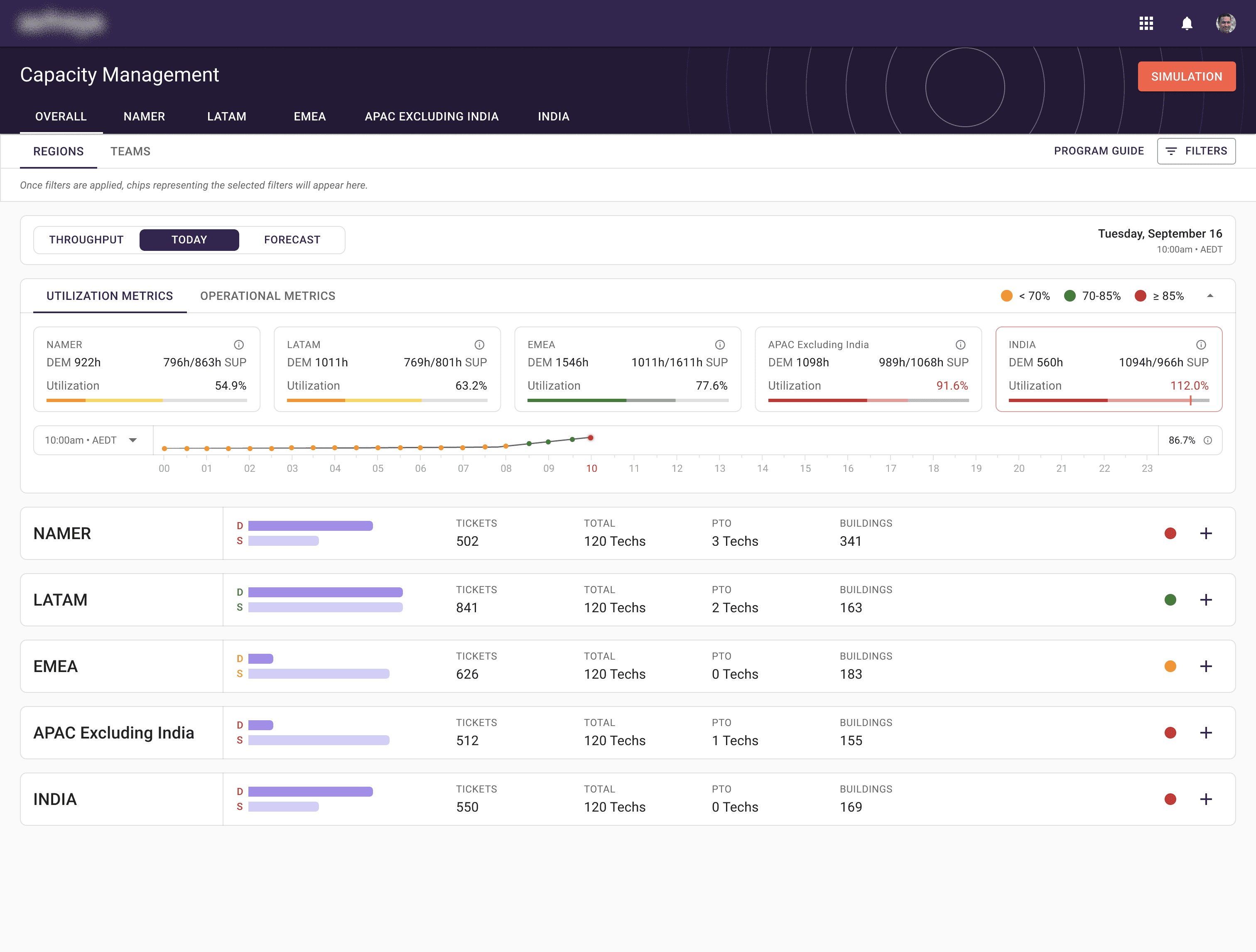
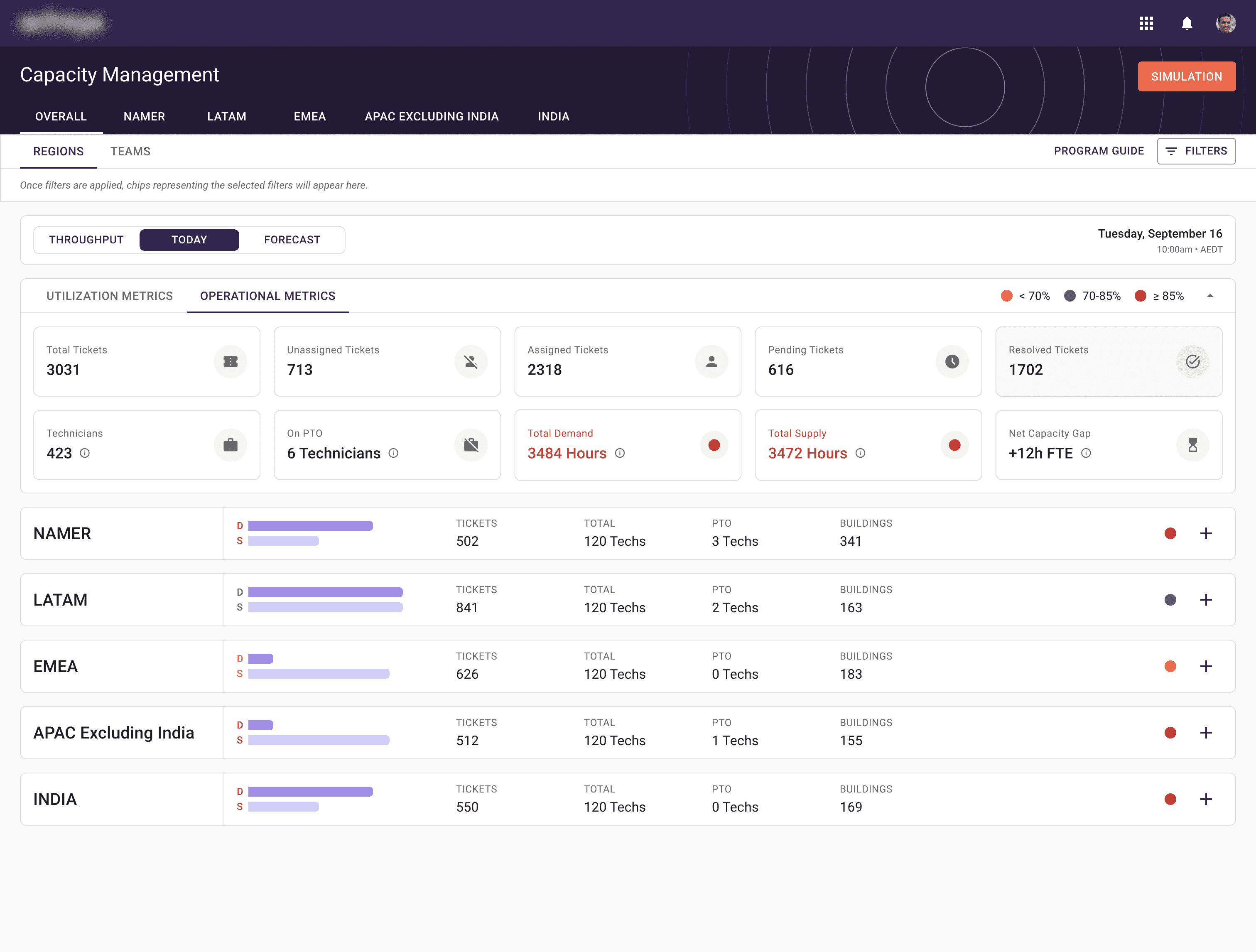
The platform we built is structured around progressive disclosure. You see the most important data on top, and you choose how deep you want to go.
A few of the calls that mattered most:
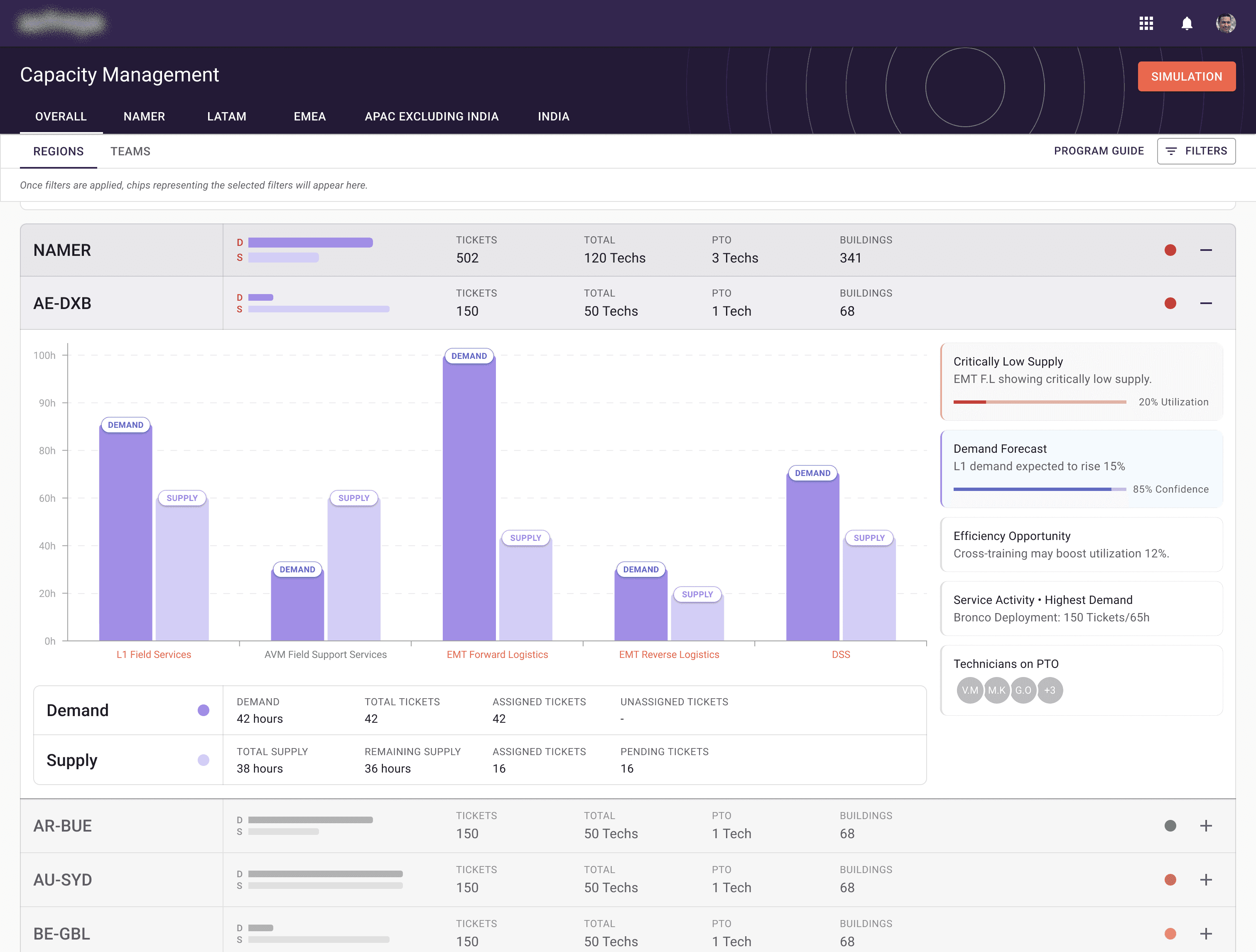
Accordions instead of tables. Closed by default, showing only the summary metrics for each region. Expand to see buildings. Expand again to see demand and supply at the building level. The user controls the depth, so the screen never has to carry everything at once. Accordions are familiar, which mattered. We didn't want anyone learning a new pattern just to do their job.
Breadcrumbs paired with the accordions. As you expand down, the breadcrumb expands with you. Click any link in it and you jump back up to that level. Same mental model as navigating folders on a Mac or Windows machine, which means there's nothing to teach.
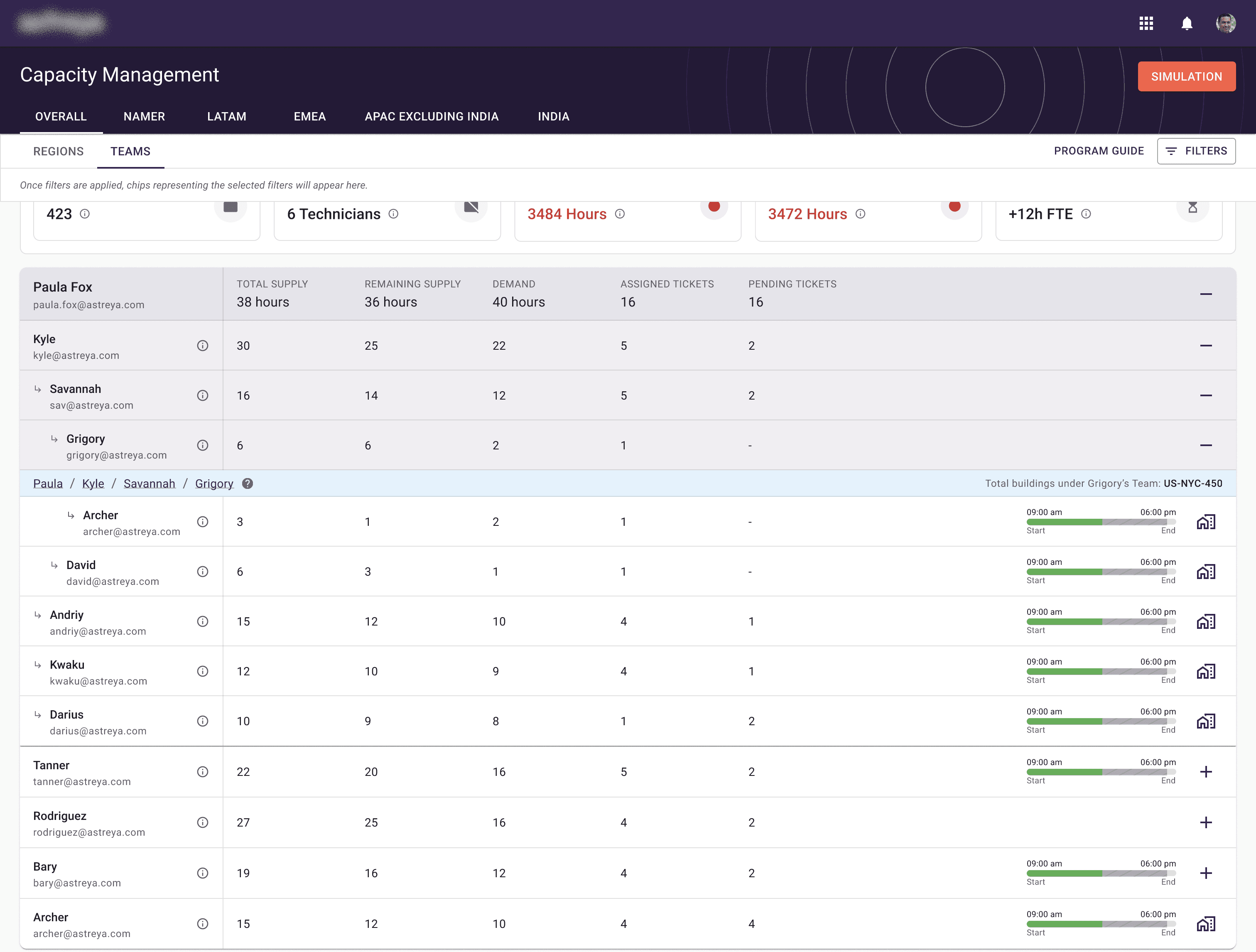
Two views, switched by tabs. A Regional view (regions > buildings > technicians) and a Team view (managers > managers > technicians, down to the workers at the bottom of the hierarchy). Same data, two ways to slice it, depending on whether you're thinking about geography or people.
Three time modes. Today, Throughput (past data), and Forecast (predicted data), switched with a date control. Different jobs need different windows. A regional manager planning next quarter doesn't want to look at the same screen as a manager triaging today.
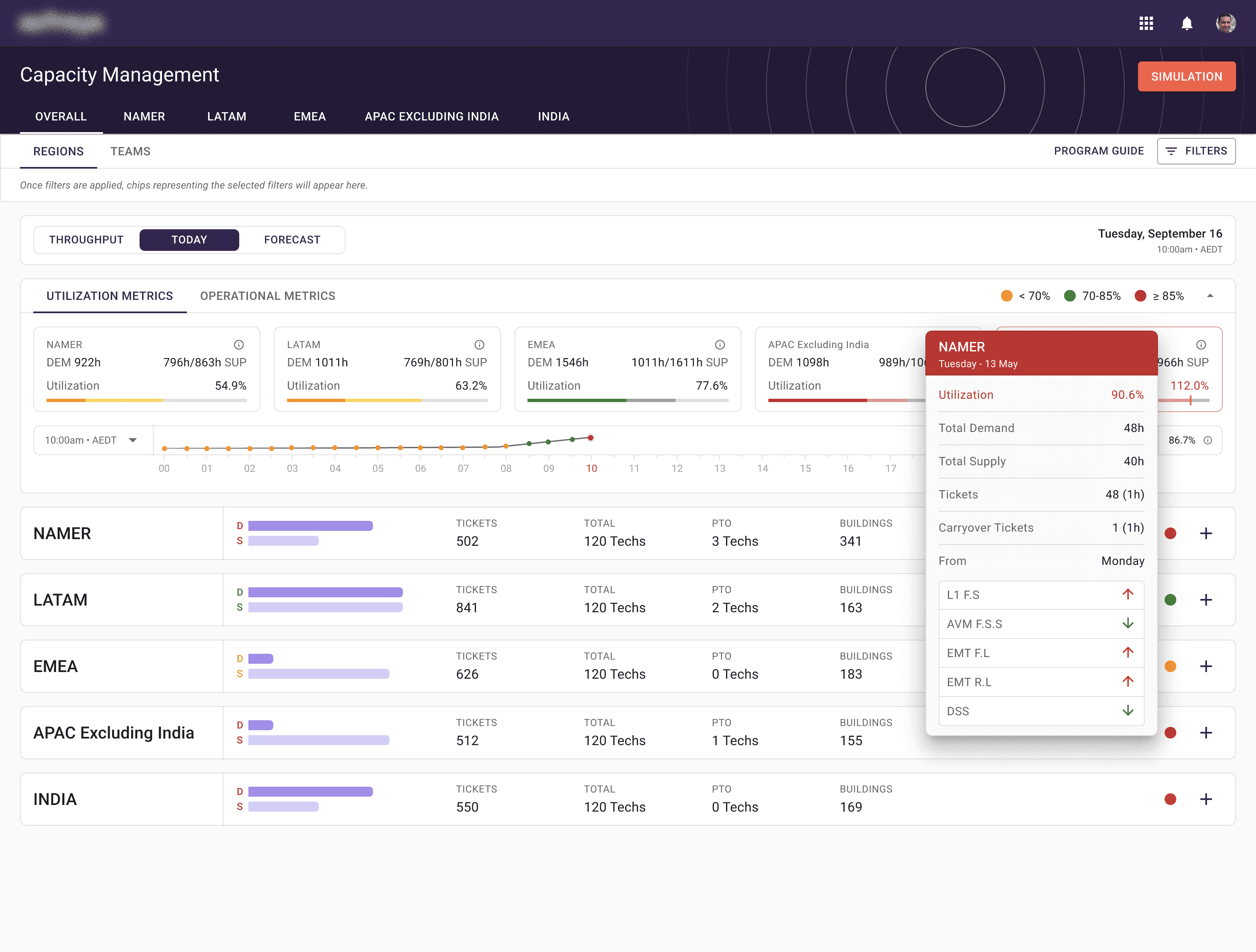
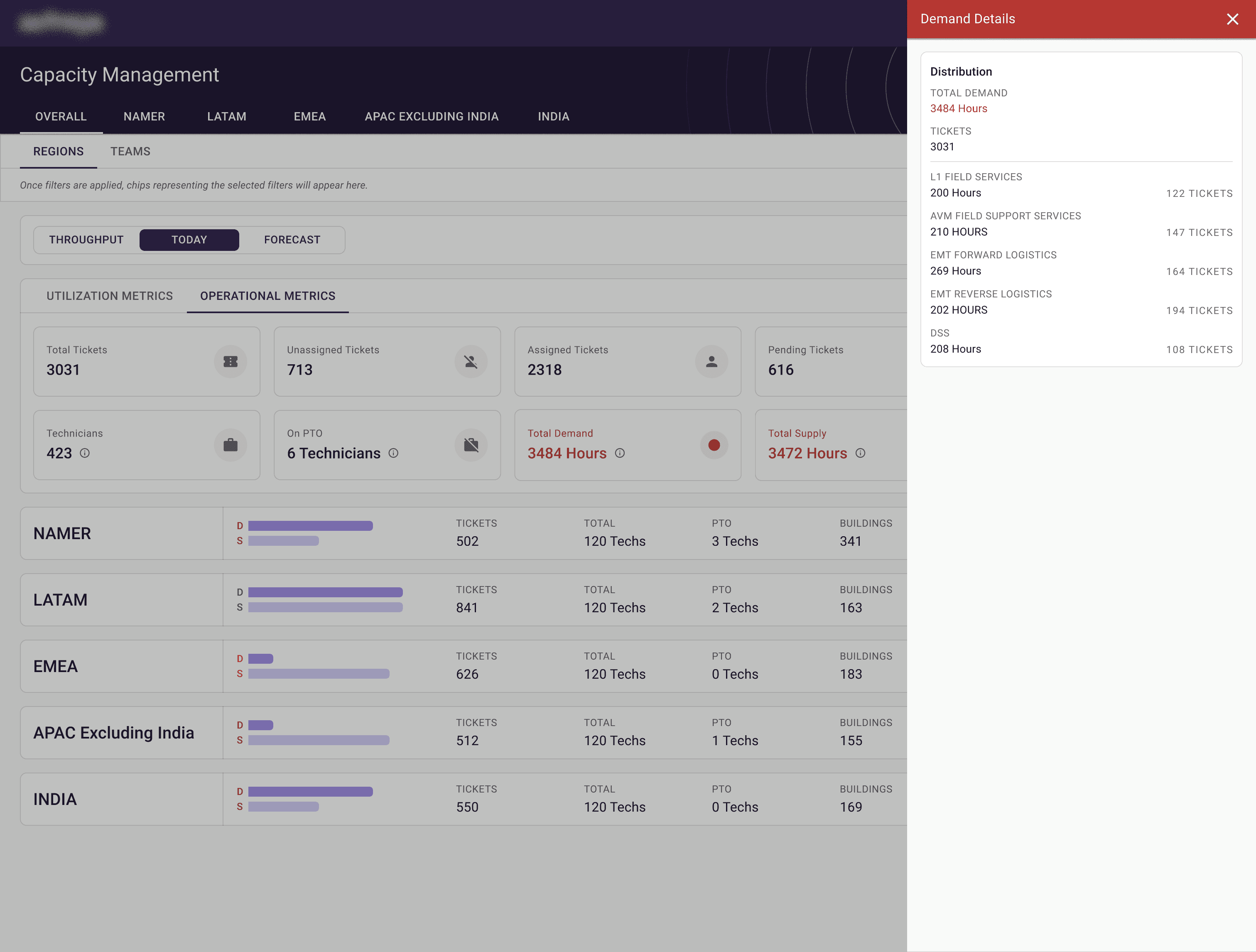
Everything secondary, hidden behind hovers, tooltips, and drawers. We had several rounds with the team on what counts as primary data versus what gets tucked away. The bar was simple: if you don't need it at a glance, it doesn't take up space at a glance.
Color as a fast read. Purple as primary (from the existing system), then red, yellow, and green for status. Traffic light logic, which everyone already understands. A region running hot on demand and short on supply turns red. A region with healthy headroom is green. You can scan the whole platform in a second and know where the fires are.
The platform also had to scale. The same UI had to work for five technicians or five thousand, with no assumptions baked in about team size. That constraint shaped almost every layout decision, because anything that depended on a specific number of rows or columns broke instantly the moment the dataset shifted.
A small fight worth mentioning
When we proposed the traffic light color system, one of the Google team members pushed back in a meeting. The concern was that adding more color into a UI already constrained by Material UI 2017 would just create more visual noise and more cognitive load.
Fair point, and worth taking seriously. So instead of arguing, my co-lead and I built two versions of the same dataset. One was raw, no color coding, just numbers. The other had the traffic light logic applied. We brought both into the next meeting and let the team look at them side by side.
The room called it pretty quickly. The color-coded version was faster to read by a wide margin. The pushback became approval, and we moved on. I think about that meeting a lot, because it was a useful reminder that "let me show you" almost always beats "let me explain."
Outcome
The platform replaced the spreadsheet workflow with a dedicated internal tool, used across all five regions.
After launch, we ran a survey across roughly 600 technicians (distributed through Google Forms and internal polls) and sat down for in-depth interviews with four regional managers. The numbers from that round:
Technicians reported finishing planning work in around a fifth of the time it used to take them in spreadsheets, an 80% efficiency gain on self-reported time-on-task.
100% of surveyed technicians preferred the platform to the spreadsheet process, calling it easier to navigate and more organized.
All four regional managers said it gave them visibility they previously had to chase across multiple sheets and people.
The team kept iterating after launch. New edge cases surfaced, requirements shifted, and the platform kept evolving alongside how people actually used it.
What used to feel like digging through a maze of cells now has structure. That's the part I'm proudest of. Not the dashboard. The fact that someone's day got quieter.

You've scrolled down this far, like my work?
Made by Aabis
Share Feedback